Divide and Conquer
[에러해결] Jetbot 문제 해결 방법 Jetpack 4.3 4.5 버전 본문
728x90
Jetpack 4.5 버전에서는 Object Following - Live Demo가 실행되지 않는다
하지만 4.3 버전은 jupyter_clickable_image_widget을 사용할 수 없다
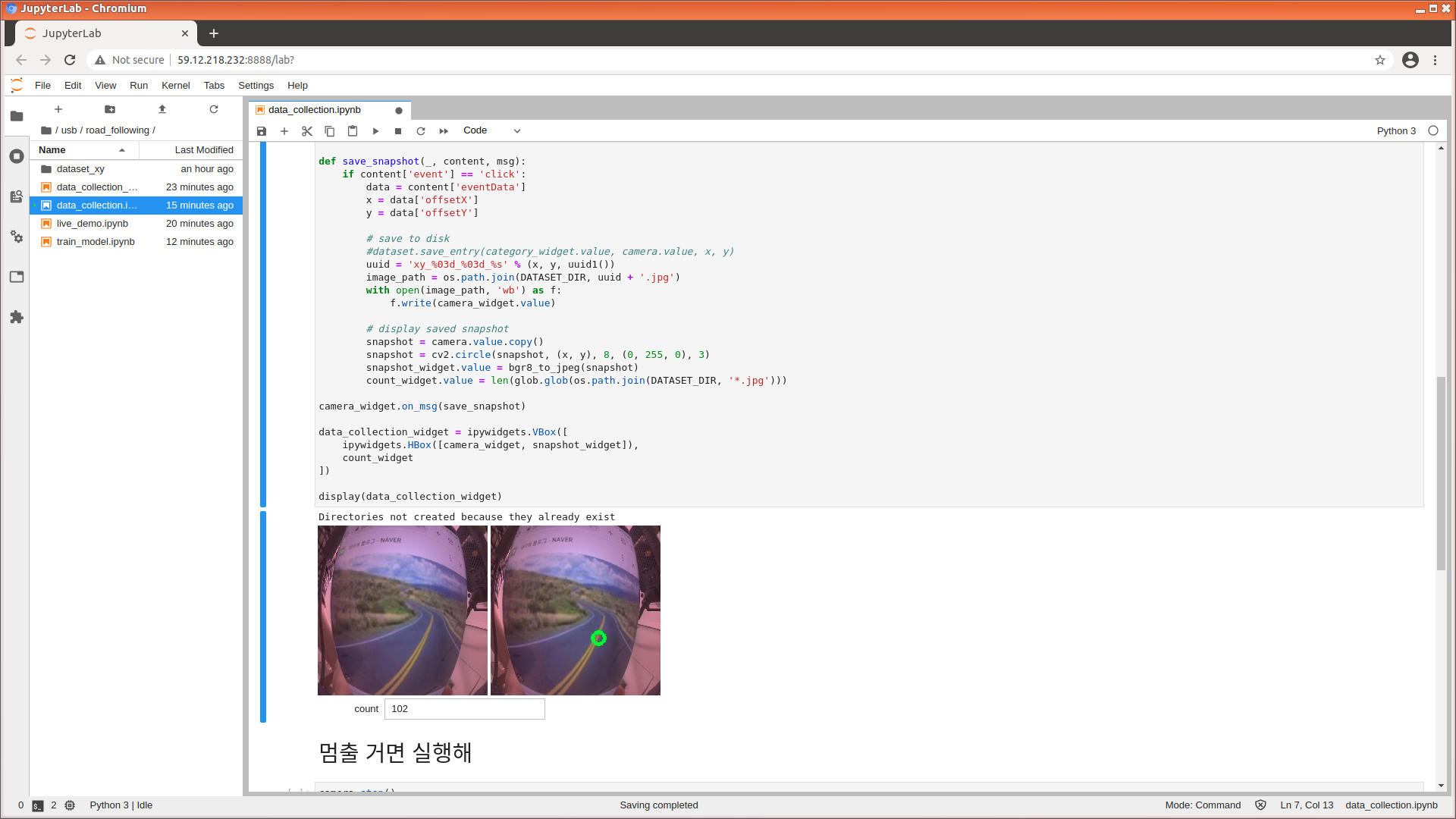
Road Following 데이터를 수집할 때 게임패드만을 이용하는 것은 매우 번거롭기 때문에
4.5 버전을 따로 설치하여 이미지를 촬영하고 4.3 버전에서 트레이닝+실행하는 방법을 추천한다 ㅠㅠ

Python으로 PyTorch, Tensorflow, Python, CUDA, cudnn 버전 확인하는 방법을 찾아볼 필요가 없었땨..
import torch
import torch.optim as optim
import torch.nn.functional as F
import torchvision
import torchvision.datasets as datasets
import torchvision.models as models
import torchvision.transforms as transforms
import glob
import PIL.Image
import os
import numpy as np
import sys

torch.__version__
torchvision.__version__
print(sys.version)
print(sys.executable)
print(torch.version.cuda)
print(torch.backends.cudnn.version())
jupyter_clickable_image_widget 설치해도 버전이 안 맞아서 실행 못하니까 하지 마... 해봤다
!password='jetbot'
!sudo pip3 install jupyter jupyterlab
!sudo apt-get install nodejs-dev node-gyp libssl1.0-dev
!sudo apt-get install npm
!jupyter labextension install @jupyter-widgets/jupyterlab-manager
!git clone https://github.com/jaybdub/jupyter_clickable_image_widget
!cd jupyter_clickable_image_widget
!sudo pip3 install -e .
!jupyter labextension install js
얘도 필요없었음
#install cuda
conda install cudatoolkit==10.0.130

# 파이토치 1_3
conda install pytorch==1.3.1
반응형
'성장캐 > 기타' 카테고리의 다른 글
| [Jupyter] notebook 커널 활성화 (0) | 2022.04.25 |
|---|---|
| [Jupyter] 사용법, Markdown 정리 (0) | 2022.04.23 |
| [Python] 하트 그리기 (0) | 2022.04.10 |
| [Python] 목소리 wav 파형 그리기 (0) | 2022.03.13 |
| [반도체공학] VHDL로 2 input AND Gate 프로그래밍 (0) | 2022.02.06 |
'성장캐/기타' Related Articles
more


Comments