
Divide and Conquer
[환경세팅] Tensorflow Tutorial 본문
728x90
버전 안내
Tensorflow 2.11.0
CUDA 11.2
cuDNN 8.1.1
1. Installing miniconda3
https://docs.conda.io/en/latest/miniconda.html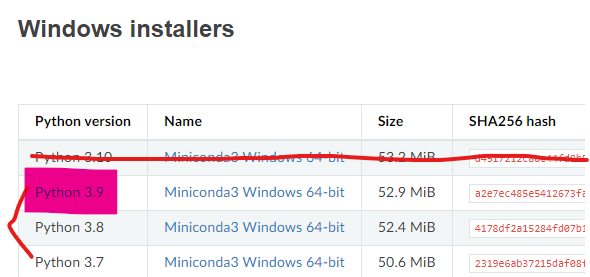
2. Installing GPU toolkit: CUDA
https://developer.nvidia.com/cuda-11.2.0-download-archive?target_os=Windows&target_arch=x86_64&target_version=10&target_type=exelocal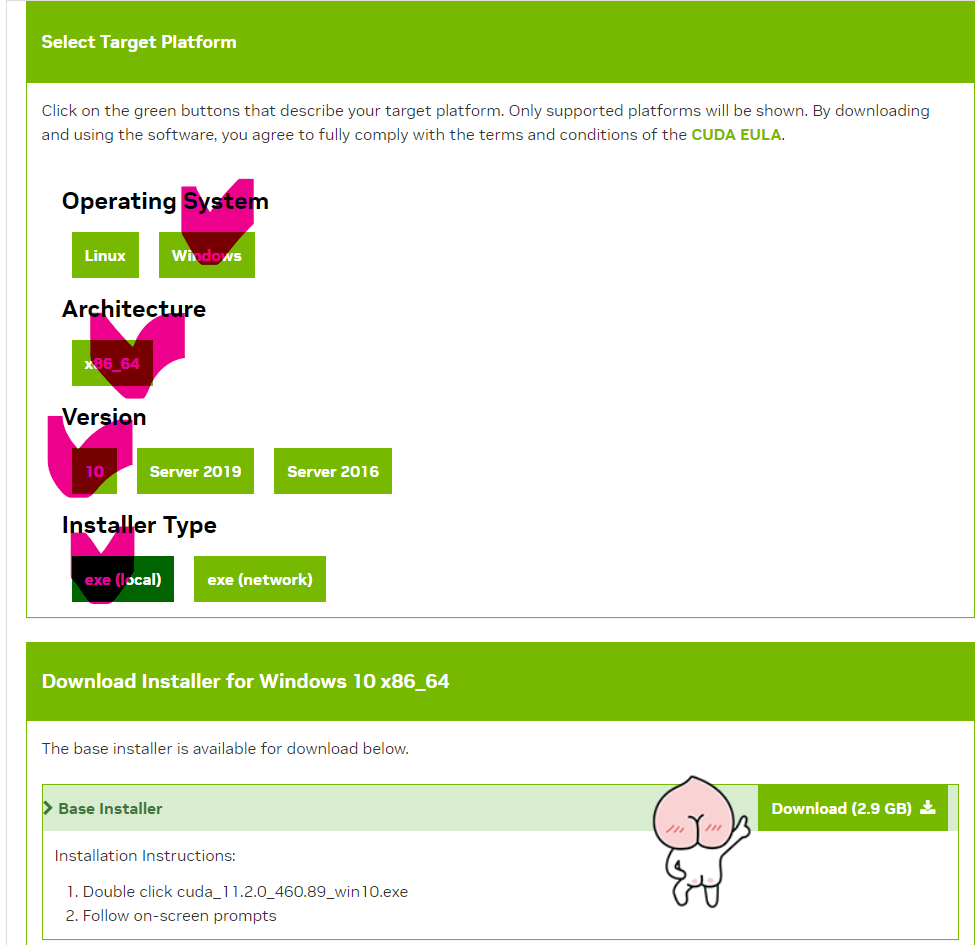
3. Installing GPU toolkit: cuDNN
https://developer.nvidia.com/cudnn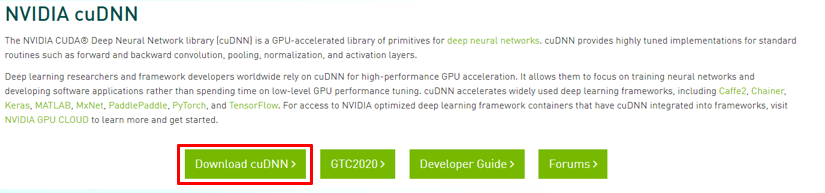
cuDNN 8.1.1
https://developer.nvidia.com/rdp/cudnn-archive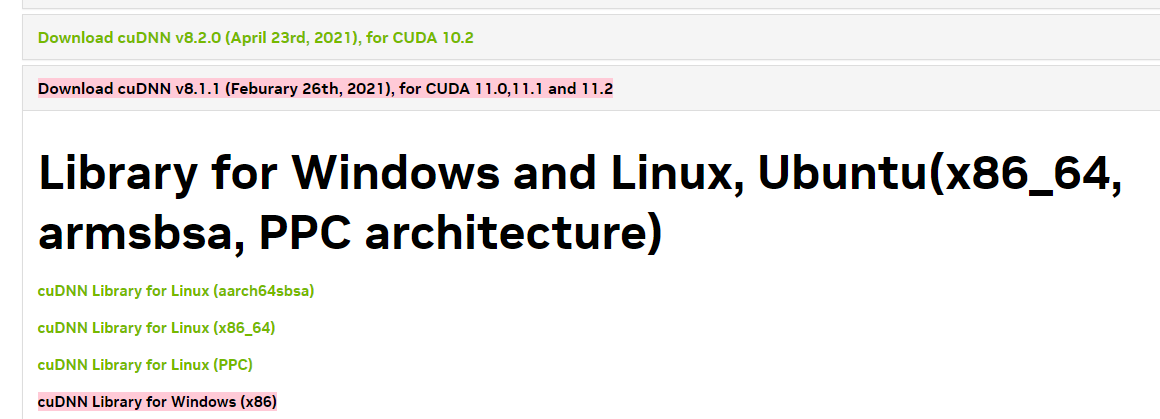
cuDNN: https://developer.nvidia.com/cudnn
위의 사이트에서 cuDNN Runtime Library for Ubuntu 20.04 x86_64랑 cuDNN Developer Library ~ 두개 다운로드 한 다음 아래 명령어로 설치해야 GPU toolkit을 설치한 것
sudo dpkg -i윈도우는 윈도우로 다운로드하고 설치!
4. Installing Tensorflow
- Launch miniconda3
conda create --name tf python==3.9
conda activate tf
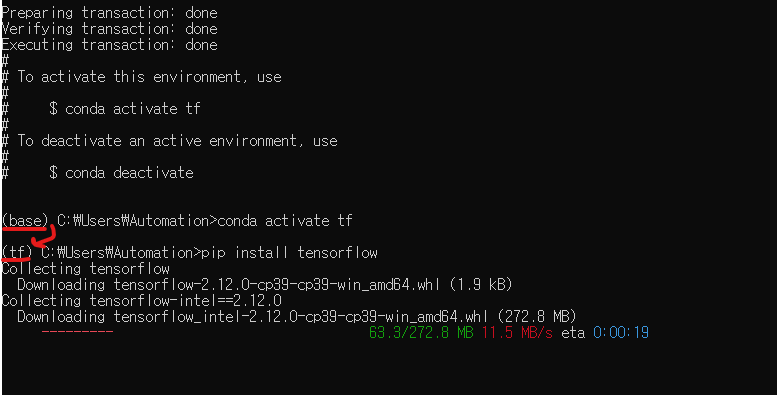
pip install tensorflow
tf라는 이름으로 python 버전이 3.9인 가상환경을 새로 생성하고
tf를 활성화해서 base가 tf로 바뀜
이 가상환경에 tensorflow를 설치함


5. Run
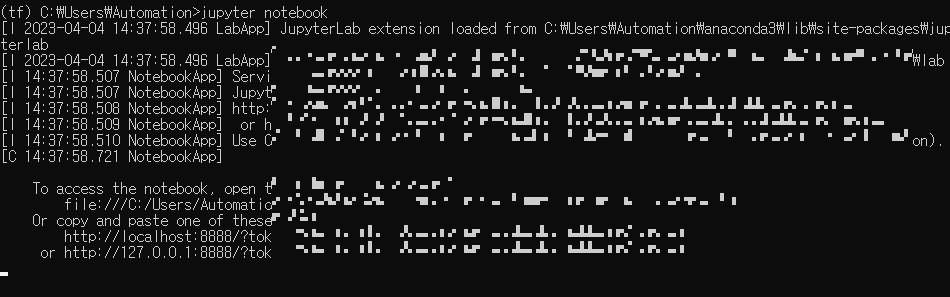
jupyter notebook
Prompt에 jupyter notebook을 치면 됨, 그런데 우측의 New에 tf가 안 뜸
근데 환경변수의 내용을 적용시키기 위해 커널 생성 필요
miniconda prompt에서 가상환경 tf 활성화하고 다음 내용 입력
tf는 가상환경 이름이고 "Intelligent Control"가 가상환경의 이름으로 보여진다

activate tf
conda install ipykernel
python -m ipykernel install --user --name tf --display-name "Intelligent Control"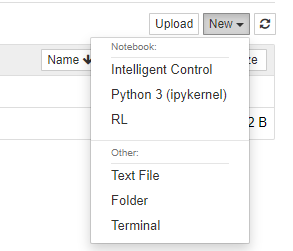
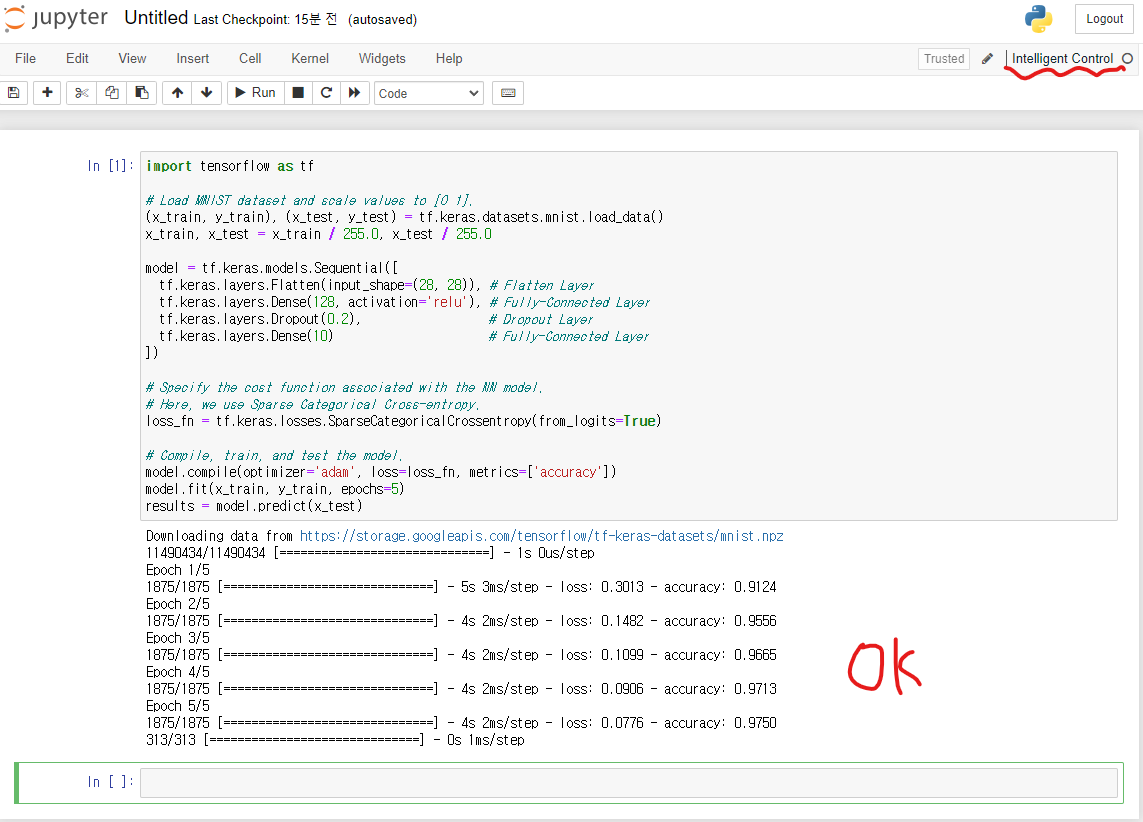
여기에서 Intelligent Control을 누르면 새 노트북이 생성됨
# Basic training and testing
import tensorflow as tf

# Load MNIST dataset and scale values to [0 1].
(x_train, y_train), (x_test, y_test) = tf.keras.datasets.mnist.load_data()
x_train, x_test = x_train / 255.0, x_test / 255.0

model = tf.keras.models.Sequential([
  tf.keras.layers.Flatten(input_shape=(28, 28)), # Flatten Layer
  tf.keras.layers.Dense(128, activation='relu'), # Fully-Connected Layer
  tf.keras.layers.Dropout(0.2),                  # Dropout Layer
  tf.keras.layers.Dense(10)                      # Fully-Connected Layer
])

# Specify the cost function associated with the NN model.
# Here, we use Sparse Categorical Cross-entropy.
loss_fn = tf.keras.losses.SparseCategoricalCrossentropy(from_logits=True)

# Compile, train, and test the model.
model.compile(optimizer='adam', loss=loss_fn, metrics=['accuracy'])
model.fit(x_train, y_train, epochs=5)
results = model.predict(x_test)
제대로 됩니다ㅏㅏ
반응형
'성장캐 > 기타' 카테고리의 다른 글
| [에러해결] pytube에서 KeyError: 'streamingData' (0) | 2023.04.28 |
|---|---|
| [환경세팅] vscode tree todo setting (0) | 2023.04.20 |
| [에러해결] reloaded modules Error (0) | 2023.03.22 |
| [에러해결] sudo vi /etc/apt/sources.list (0) | 2022.10.01 |
| [문제] 티스토리 에디터 단축키 변경 방법 (0) | 2022.09.17 |
'성장캐/기타' Related Articles
more


Comments